




Divi AI
Price range: $16.08 through $21.50
Earn 16 - 22 points upon purchasing this product.
Leverage the incredible power of AI to build stunning Divi websites
Divi AI
Leverage the incredible power of AI to build stunning Divi websites
Divi AI can create an entire website and pages with a simple prompt. It can also write content, code, and generate images with the expertise of a professional writer, web developer, and graphic designer!
Divi AI is a website builder that designs layouts, writes content, and generates images for you on demand!
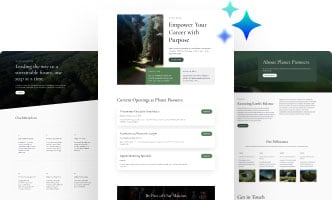
Build entire websites with AI
Build any website with AI-designed layouts, AI-generated images, and AI-composed text with just a single click.

Create any type of web page
Sit back and watch Divi AI generate any page you can think of, then jump into Divi's intuitive visual builder to make edits easily.

Define & store custom AI styles
Provide your brand's colors and fonts, and Divi AI will create on-brand layouts every time.

Auto-generate content with one click
Generate text, images, or entire modules with a click. Divi AI analyzes existing content and website details to recommend the content you should add next.

Write & refine website text
Divi AI is your professional copywriter. It can write and improve text-based content on demand, creating captivating and engaging pages easily.

Generate images automatically
Just click one button and let Divi AI create images for you. It learns from your page and the context around your image to generate something highly relevant on-demand.

Refine & modify existing images
Supply a reference image to Divi AI and have it change the image as much or as little as you want. You can even completely change the image's subject matter while retaining composition and style.

Fine-tuned on the Divi module codebase
Divi AI can write code, generate custom CSS, and customize the design of your website within the Visual Builder. It's trained on the Divi codebase, giving it an advantage over other large language models.

Divi AI learns from your website
Divi AI delivers highly relevant content by considering your website name, description, and the context of the current page.
AI Website Builder
Generate full websites, layouts, & sections using the power of AI
Meet your personal AI web design agency. Divi AI is like a web developer, designer, copywriter, and photographer in one. You talk to it like a person, and it makes decisions like a professional design team. Tell it about your website, and it will design the entire website and fill it with content.
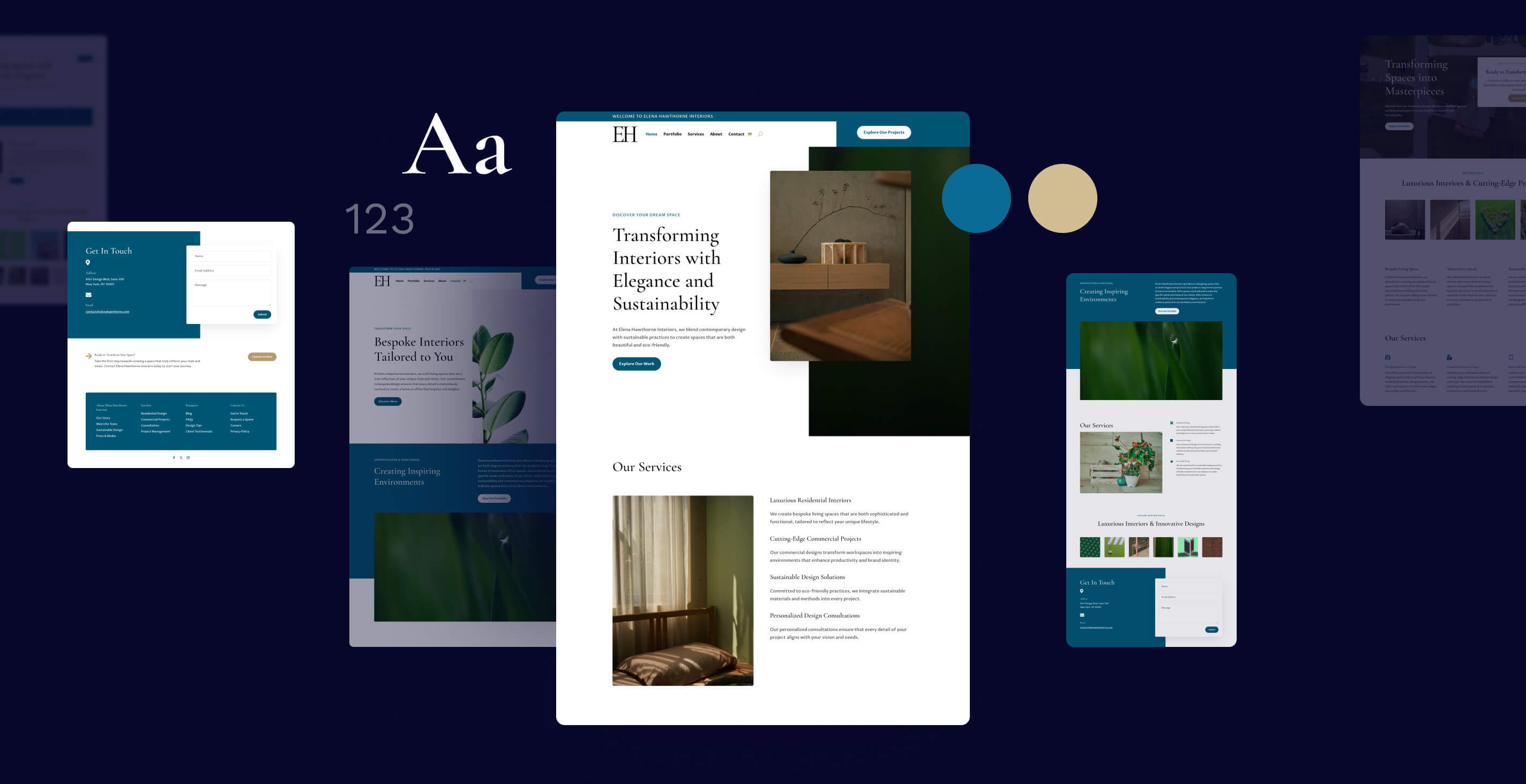
Automatically generate an entire website with well-written content and beautiful photos
Divi Quick Sites takes the hassle out of web development by automatically generating beautifully designed pages with high-quality, AI-generated content and images. No matter what kind of website you create, Divi leverages cutting-edge AI tools to determine the essential pages for your business and builds an entire site with consistent global styles and dynamic templates.

Quickly generate new pages & sections
Divi AI makes adding new pages or individual sections to existing pages on the fly easy. Tell Divi AI about the content you want it to create, along with some information about your business, and let it get to work! It constructs a layout, customizes the design, and fills it with relevant content and images. Sit back, relax, and watch your website get built.

Provide your brand's fonts and colors, or let Divi AI choose styles for you
We trained Divi AI on the best color and font pairings, but it can also leverage your custom styles to create on-brand layouts across your entire website. It remembers your design choices and builds your website using a cohesive style.

Pages generated by Divi AI are fully customizable
Divi AI can design stunning layouts, but you may want to make some tweaks. That's why AI-generated layouts are fully customizable with Divi's world-class visual builder. You don't need to be an experienced web designer to use Divi. Click to type, drag & drop, and leverage various design options to create the perfect page.

Divi Text AI
Meet your new AI writing companion
Divi AI can write copy for your website from scratch and improve existing copy, just like a professional copy editor! Say goodbye to the daunting task of brainstorming and crafting content from scratch, leaving you more time to focus on what truly matters—growing your business.
Divi AI can write anything in the blink of an eye
Give Divi AI a topic, choose the content format, and let it get to work! Divi AI can compose titles, paragraphs, or even entire blog posts in seconds. Creating quality content with Divi AI is effortless.

Use Divi AI as your copy editor and improve existing content with a single click
Whether you need to adjust the tone, modify the length, improve clarity, or add creativity, you can effortlessly refine until you reach the desired result. Navigate through variations, experiment with styles, and tailor your content to engage your audience.

Give your existing website content a professional makeover
Let Divi take control, seamlessly rewriting headings, paragraphs, calls to action, buttons, and more. From enhancing readability and translating languages to correcting spelling, grammar mistakes, and improving tone, Divi AI has you covered. It's like always having a professional copy editor at your side.

Generate contextual content with a single click
By analyzing your website's company details, page content, and specific modules, Divi can create copy for you on-the-fly. It's an efficient method to quickly iterate as you build new pages. Say goodbye to lorem ipsum and bid adieu to writer's block. Divi AI removes obstacles, making the design of new pages seamless.

Out of ideas? Let Divi AI come up with something for you!
Unsure what to instruct Divi AI to write about? It can assist with that as well! Clicking the AI button within the writing prompt enables Divi AI to generate content independently. Let Divi AI prompt itself and generate ideas when you are tapped out.

Get as granular as you want with advanced prompting options
Using Divi AI is straightforward, but advanced options allow you to delve into more detailed content guidelines. Tailor your prompts for specific responses from Divi AI. Explore various parameters like tone, style, context, and keywords to craft the generated content precisely to your preference.

Divi Image AI
Generate any image you can think of
Divi AI eliminates the need for stock imagery searches and Photoshop tutorials. Now, you can create and modify images using a natural language interface.
Turn your ideas into beautiful photos and artwork in seconds
Simply tell Divi AI about the image you want, and it will generate it in seconds. Divi AI can create anything you envision.

Choose from different styles and create any type of image you can imagine
Create professional photographs with lifelike appearance or generate stunning artwork in styles such as digital paintings, 3D renderings, hand-drawn sketches, and more. Or, transform existing images and alter their style with a single click!

Feed existing images as reference material into Divi AI
Divi AI recognizes the artistic styles, compositions, and visual elements of an existing image, applying them to entirely different subjects. If you have an image you appreciate, but the content isn't quite suitable, Divi AI can transform it into an image tailored to your context. You can take a Divi Layout and completely change the subject matter, while maintaining the visual style and composition!

Change an existing image's style with fine-tuned control
If you have an image that you love, but it's not quite the right style, or you want to transform it into something completely different, Divi AI can take that image and alter its style using style presets. You can even combine styles, prompts, and reference images to create something truly unique.

Modify or add elements to any image
Select any part of an image and modify it using the power of AI. Transform existing elements or add brand-new elements with ease. Divi AI seamlessly integrates changes into the original image as if they were part of the original photo.

Extend an image beyond its existing frame and fill the space
Expand the space surrounding an image and fill it with AI-generated imagery blended seamlessly with the original image. Tell Divi how much space you want to add around your image and what you want to fill it in with, and watch the magic happen. This allows you to fit existing images into any layout.

Upscale existing images with stunning high resolution
Upscaling images with Divi AI is akin to magic. Enhance lower-quality images to make them clearer, sharper, and higher resolution. Did your client supply you with images that are too small? Make them bigger right inside the Visual Builder to ensure they look crisp, even on high-resolution displays.
Automatically enhance an image's appearance
Leverage the power of AI to enhance your images. Remove artifacts, increase saturation, improve visual contrast, and enrich the details of any image with a single click. Divi AI can do a better job than ordinary image filters. It re-imagines the original image with desired enhancements, re-creating it using AI.

Not sure what type of image to ask for? Let Divi AI give you some ideas
Divi AI can create any image you envision, but if you're out of ideas, it can analyze your website, the current page, and surrounding content to suggest an ideal image. Divi AI can prompt itself and automatically generate impressive images.

These Images Were Generated by Divi AI

Photograph

Photograph

Photograph

Photograph

Photograph

Photograph

Comic Book

Vector Art

3D Render

Digital Painting

Photograph

Photograph
Divi Code AI
Meet your personal Divi web developer
Divi AI can write code and generate custom CSS in the Visual Builder. Since it's trained on the Divi Module codebase, it can generate intuitive results and better interpret your prompts.
Generate custom elements and features automatically with AI
Divi AI works within Divi's code module. Here, it will fulfill your requests by generating custom HTML, CSS, and JavaScript. Would you like to create an element for which Divi doesn't have a module, such as a pop-up? Just ask Divi AI to make it for you!

Customize any module instantly using AI-generated CSS
It's never been easier to customize your website with CSS. Divi AI works inside of Divi's CSS fields, allowing you to fully customize any module automatically. Since Divi AI is trained on Divi's codebase, it already knows Divi module classes and HTML, allowing it to perform complex customization requests.

Modify & improve existing custom code throughout your website
Leverage AI quick actions to easily improve existing code. Automatically optimize, format, and improve compatibility with old browsers with a single click. You can also use improved code using a prompt, opening up unlimited possibilities.

Unlike other AI tools, Divi AI is fine-tuned on the Divi module codebase
One of the things that makes Divi Code AI special is that it has been fine-tuned on the Divi module codebase, giving it an advantage over other large language models. Since it knows Divi module classes and HTML output, it can better interpret vague requests and recognize Divi terminology within your prompts.

Save AI-generated code snippets to the cloud and access them from any website
You can save all of your favorite code snippets to Divi Cloud for easy access inside of Divi's code editors. Whenever you start a new website, all of your favorite customizations can be quickly applied with just a few clicks. Using Divi AI is a great way to build a library of super useful code snippets!

Some Creative Ways to Prompt Divi Code AI

Image Hover Effect
"Turn the image into a circle with a box shadow. Add a vibrant pink and blue gradient overlay inside the image wrapper that sits on top of the image. The gradient overlay should be semi-transparent. When you hover over the main element, make the image zoom in."

Typing Effect
"Add a typing effect to the H1 within the element with the "#typing" ID. Each letter is typed out one at a time, as if someone is actively writing the heading. Return only CSS and JavaScript."

Popup Modal
"Create a pop-up that fades in after 30 seconds and invites visitors to join my newsletter. Add two buttons: one purple button that links to my newsletter page and one dull gray button that says "No Thanks" and closes the pop-up."

Floating Sidebar
"Take the existing element on the page with the ID "#flyin" and turn it into a sticky sidebar that fades in on the bottom left of the viewport after 5 seconds. Fade the element away when the button with id "#close" is clicked. Give me only the CSS and JavaScript."
Frequently Asked Questions
Can I really generate unlimited layouts, text, code, and images?
We built Divi AI so that any one person or team can use Divi AI in the Visual Builder to generate unlimited items with a single subscription. Usage of Divi AI is subject to our fair use policy, and we reserve the right to refuse service to anyone we suspect is exploiting the system.
Additional information
| Divi AI Unlimited | Divi AI Yearly – Pay Annually Save 33%, Divi AI Monthly Pay Monthly Save 11% |
|---|


Customize Our Best Selling Business Cards|T-Shirts|Hoodies|Banners|Signage|Posters|Flyers|Websites|Digital Marketing|& More
-
Sale!

Personalized Laser Engraved Wooden Picture Frame – Valentine’s Day
Original price was: $35.00.$24.95Current price is: $24.95. Select options This product has multiple variants. The options may be chosen on the product page -

Custom TShirt Builder
Price range: $19.99 through $34.99 Select options This product has multiple variants. The options may be chosen on the product page -
Sale!

MAD Monkey Media Stickers (6 Pack)
Original price was: $5.00.$0.00Current price is: $0.00. Add to cart -
Divi AI
Price range: $16.08 through $21.50 Select options This product has multiple variants. The options may be chosen on the product page -

Profit Pak
Read more -
Headwear
Read more -
Accessories
Read more -
Kids & Youth Clothing
Read more -
Women’s Clothing
Read more -
Men’s Clothing
Read more -
Tote Bags
Read more -
Embroidered Beanies
Read more